Varonis Expands Microsoft 365 Automations to Reduce Stale Access in SharePoint and OneDrive
Varonis’ new M365 automations close a major gap. They continuously remediate stale permissions and group memberships across SharePoint Online and OneDrive.

Key Takeaways
- Varonis now automatically removes stale permissions and group memberships across SharePoint Online and OneDrive, closing a common attack path.
- Access is flagged for removal after 120 days of inactivity by default, with a customizable window of up to 180 days.
- This shifts remediation from periodic manual reviews to continuous, policy-driven enforcement of least-privilege access at scale.
In a recent analysis of customer environments, Varonis found that 90% of groups with permissions in SharePoint Online and OneDrive were stale, resulting in access nobody’s using — remaining after people changed roles, moved on from projects, or no longer needed temporary access. Permissions like this get added constantly but rarely removed at the same pace, and periodic access reviews can’t keep up. Often by the time one review catches a batch of stale access, the next batch has already piled up.
That accumulation can quickly turn into a compromised account. And the more stale permissions and memberships pile up, the more likely an attacker is to land somewhere that leads to sensitive data, inheriting all that forgotten access.
Varonis now automatically removes stale permissions and group memberships across SharePoint Online and OneDrive, reducing the blast radius before an attacker can exploit them.
How Varonis removes stale access in Microsoft 365
Varonis already provides a broad set of automations across Microsoft 365 to continuously reduce risk, including applying Microsoft Purview sensitivity labels to data, removing risky or outdated sharing links, and managing external and guest access. The new automations expand coverage to address stale access that persists through direct permissions and group memberships in SharePoint Online and OneDrive.
- Direct permissions: Varonis scans every user and group with direct access to SharePoint Online and OneDrive and, by default, checks whether that access has actually been used in the last 120 days, with a customizable window up to 180 days. If every assignee on a permission has become inactive within that window, Varonis automatically removes the permission and updates the resulting permission structure.
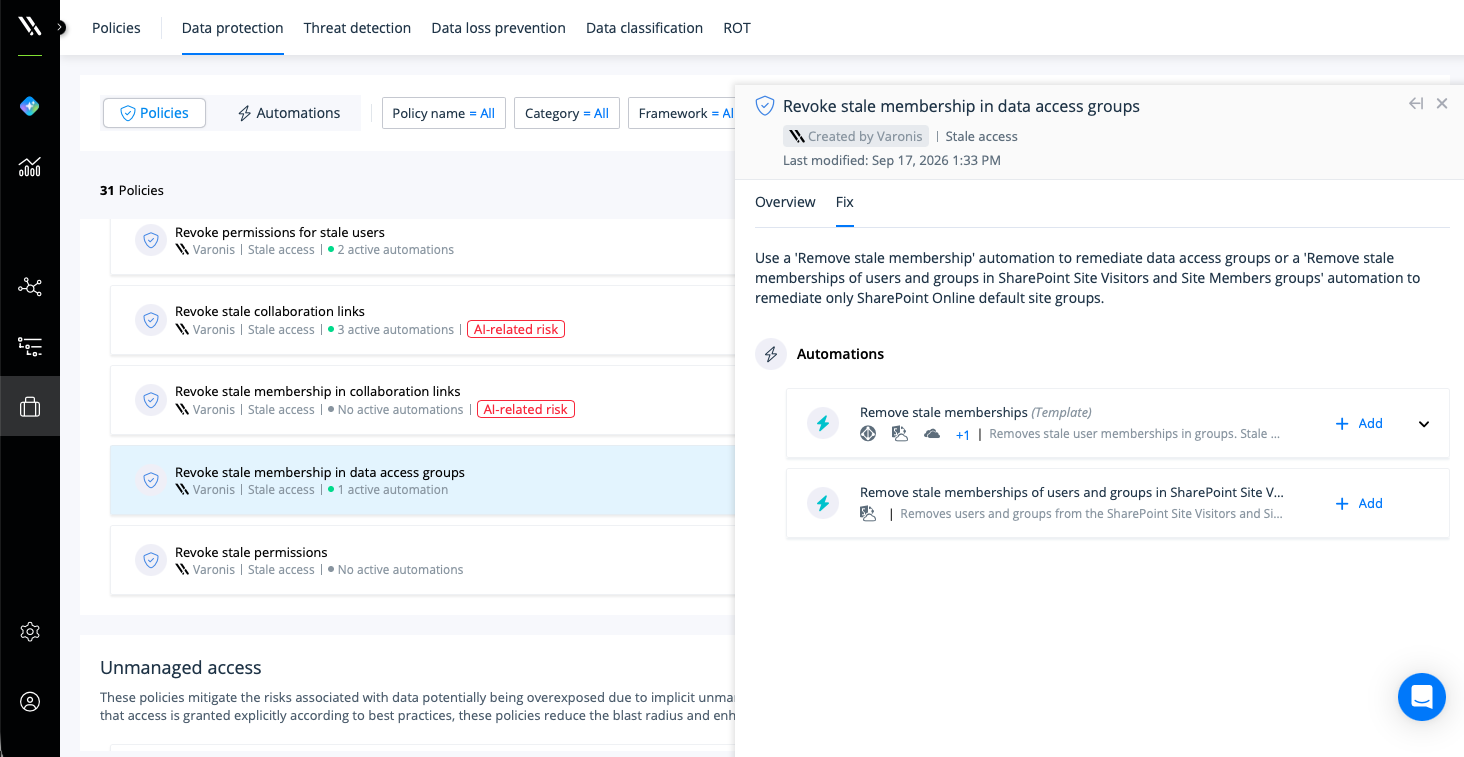
- Group memberships: Remediation applies to SharePoint’s built-in Members and Site Visitors groups. If all members of a group, including nested members, are inactive for the configured period, Varonis removes the membership. The inactivity period is 120 days by default but can be customized to 180 days. This also applies to nested groups when all members are inactive.
Access is removed on a rolling basis, per policy, before it has a chance to sit long enough to become someone’s forgotten path into sensitive data.
By removing unused direct permissions, organizations can reduce unnecessary exposure, eliminate forgotten permission paths, maintain cleaner permission structures, and continuously enforce least-privilege access.
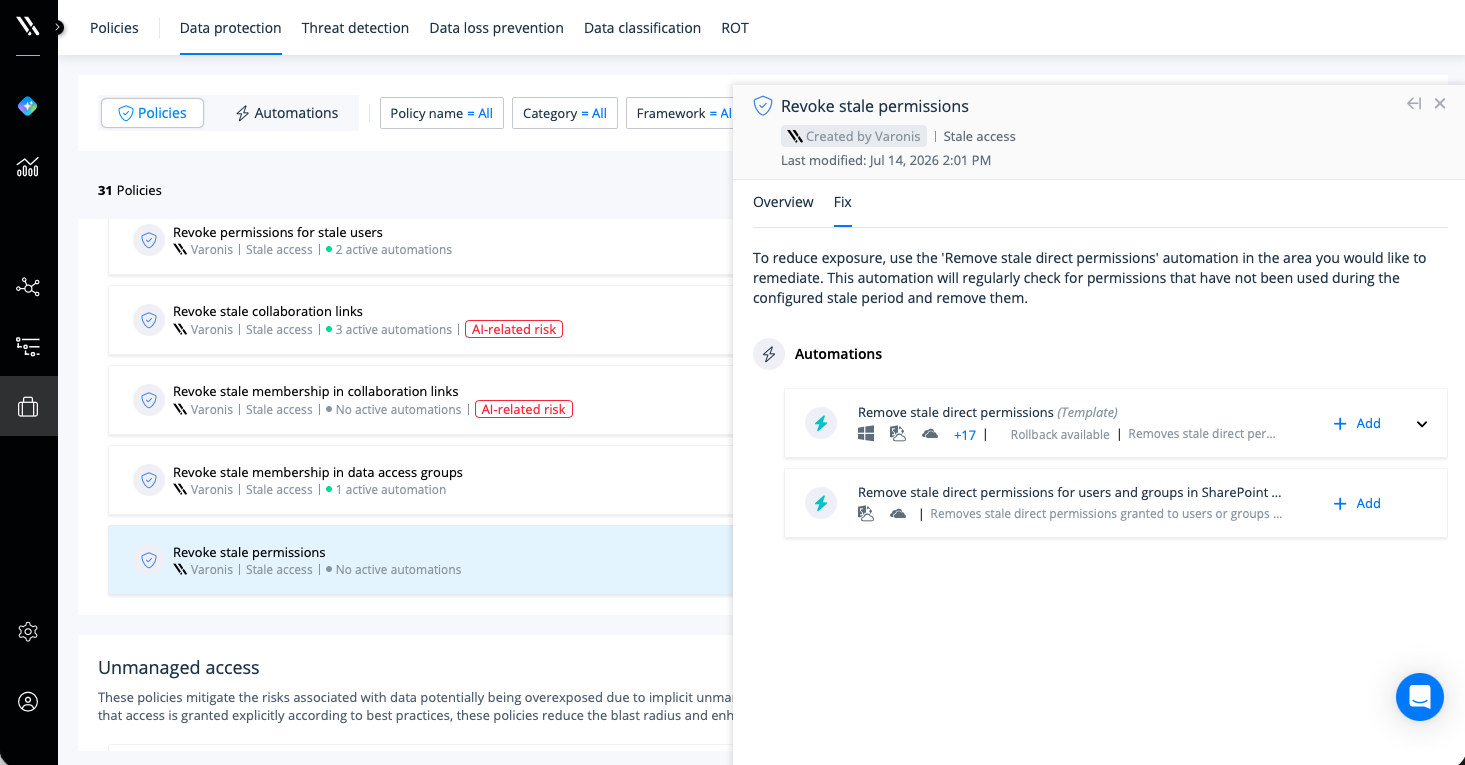
Continuously enforce least privilege in SharePoint and OneDrive
Rather than simply flagging stale access for security and IT teams to review, Varonis automatically removes unnecessary permissions and group memberships based on clearly defined policies.
This helps organizations:
- Reduce unnecessary exposure to sensitive data.
- Limit oversharing across Microsoft 365 environments.
- Continuously enforce least-privilege access.
- Accelerate time to remediation.
- Lower operational overhead.
These automations enable organizations to remove stale access before it accumulates, helping security teams maintain a safer and more manageable Microsoft 365 environment.
Reducing the blast radius at scale
Stale access is one instance of a broader pattern. Varonis connects risk context to action across the Microsoft 365 environment in order to prioritize what matters most: right-sizing access, removing risky sharing, managing identities, correcting configurations, and applying protective controls based on a given dataset’s sensitivity and risk.
This shifts remediation from periodic, manual cleanup to continuous risk reduction. By automating remediation wherever possible, organizations can reduce risk at the same scale it is discovered, accelerate time to remediation, continuously enforce security policies, and reduce the operational burden on security and IT teams.
Automate security outcomes with Varonis
Want to see automation-first remediation in action? Request a demo to learn how Varonis helps organizations continuously reduce risk across Microsoft 365.